i3wm: Jump Start (1/3)
Alex Booker4 HN recommenders · 2015–2020
1.1M views · tutorial · evergreen · Uploaded 2015-11-01
First of a three-part tutorial series on the i3 tiling window manager for Linux. It explains what i3 is, how to install it on Ubuntu, and how to use it.
HN commenters call it the best i3 tutorial on YouTube and recommend it for getting started thoroughly.
 38:47
RailsConf 2014 - All the Little Things by Sandi Metz
Confreaks
 47:18
The Tragedy of systemd
linux.conf.au
 40:20
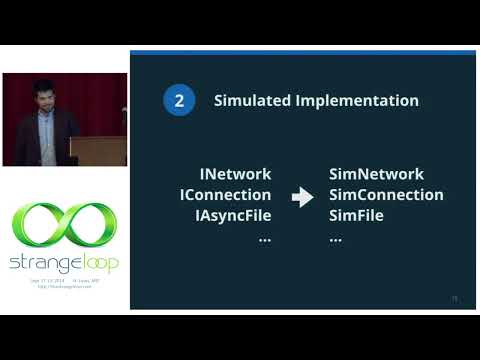
"Testing Distributed Systems w/ Deterministic Simulation" by Will Wilson
Strange Loop Conference
 1:03:55
🚀 TDD, Where Did It All Go Wrong (Ian Cooper)
DevTernity Conference
 54:20
Bret Victor - Inventing on Principle
Rui Oliveira
 1:02:26
Solving Problems the Clojure Way - Rafal Dittwald
Clojure/north
 52:35
Debugging Under Fire: Keep your Head when Systems have Lost their Mind • Bryan Cantrill • GOTO 2017
GOTO Conferences
 42:15
"Performance Matters" by Emery Berger
Strange Loop Conference
4 comments from Hacker News
For those of you that might be professionals or adults that don't spend much time on 4chan/reddit, you should know that i3 is pretty popular with 4chan.org/g/ or reddit's linux subreddits. It's a pretty effective path for us young nerds to get into the linux ecosystem. Beginners might learn vim to modify their ~/.i3/config, hex values for coloring their desktop, or basic CLI commands to add functionality to their keybindings. Maybe they want to add a customized weather applet to the bar at the bottom of the screen, so they write a shell script utilizing wget. Soon enough they're learning to install Arch Linux (because everybody else on that "Show off your desktop" thread is using it), and it's not long before they're a full-blown linux fanboy. That's at least the route I took. It's not that i3 is popular among these communities because it's the easiest, but because it looks the coolest and offers the most amount of visual customization. But after getting used to it, there's an incredible amount of depth and usability that keeps you on it. I really can't imagine a more effective window manager. If you're looking for neat-looking i3 setups, check out reddit.com/r/unixporn/ . If you're interested in getting started with it, somebody made a great tutorial for it at [VIDEO] .
I use Arch but if you are starting out I would recommend Ubuntu. It's probably got the most youtube videos, online articles, troubleshooting questions online. This make things a bit easier. For example, you mention i3 - probably the best i3 tutorial on youtube is running ubuntu. -> [VIDEO]
i3wm. I thought it couldn't be that much better, it just a window manager. Now it's hard to imagine using anything else. If you want to get started the long exhaustive way, start here: [VIDEO] .
Most of my productivity gains these days has come from aligning myself and my workstation. - i3wm ( [LINK] ) - particularly getting comfortable editing the .i3/config. It's the most significant productivity change I've had since switching to Linux from Windows. To get into it, I highly recommend this 3-part video series from Code Cast: [VIDEO] - yadm ( [LINK] ) - a dotfile manager. It's essentially a git wrapper, but it's allowed me tons of freedom tweaking my setup without worrying about persisting it. It supports encryption and switching file versions based on which system you're on.