A Tour of the Acme Editor
Russ Cox11 HN recommenders · 2012–2026
151K views · tutorial · evergreen · Uploaded 2012-09-17
Russ Cox gives a 23-minute tour of the Acme text editor from Plan 9, showing its mouse-driven interface, executing commands from text, and its filesystem-based interface to other programs.
HN points people to it as the best introduction to Acme and its very different take on editors, shells, and GUIs.
 38:47
RailsConf 2014 - All the Little Things by Sandi Metz
Confreaks
 40:20
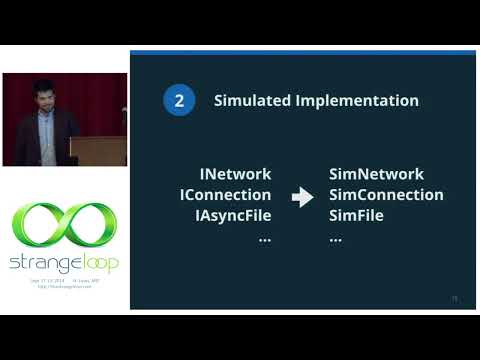
"Testing Distributed Systems w/ Deterministic Simulation" by Will Wilson
Strange Loop Conference
 1:03:55
🚀 TDD, Where Did It All Go Wrong (Ian Cooper)
DevTernity Conference
 54:20
Bret Victor - Inventing on Principle
Rui Oliveira
 32:56
Bret Victor The Future of Programming
Joey Reid
 1:02:26
Solving Problems the Clojure Way - Rafal Dittwald
Clojure/north
 52:35
Debugging Under Fire: Keep your Head when Systems have Lost their Mind • Bryan Cantrill • GOTO 2017
GOTO Conferences
 42:15
"Performance Matters" by Emery Berger
Strange Loop Conference
20 comments from Hacker News
If you haven't seen acme in action, it is pretty crazy and interesting. Basically it makes heavy use of the mouse, and any typed word can be invoked like a command. Here is a tutorial. [VIDEO]
There is Acme for Plan9 [1] and it has inspired a few other editors. I don't use them myself because they don't have syntax highlighting. [1]: demo at [VIDEO]
It's sad that Acme hasn't been mentioned at all. While its mouse-oriented nature is a little strange coming from Vim, there are some very awesome ideas in it. For one: It lets you write plugins in anything you like. This is because all aspects of the editor are exposed as a filesystem a la /proc. Need to create a new window with some custom contents? Create a new file. Other awesome ideas: The text in that custom window can be actions because any text can invoke commands by using another mouse button. Russ Cox has a great video tour of Acme's features here: [VIDEO]
Personally, I can't find a text editor I like. The closest I came was acme from plan9, shown here [VIDEO] . I would love to see an editor which clones acme, but follows a few of the modern ui conventions.
I found [LINK] (no affiliation) to be the best way to finally learn vim in the sense of actually developing automatic muscle memory. It teaches you how to use vim using a 2d game. It's worlds better than the built in vim tutorial, to say the least. :) For a really different take on editors+shells, check out acme: [VIDEO]
I have to say that I had no use for YouTube until I realized that these kind of talks were on there. In addition to what you mentioned, some I like: The Gruqg on OpSec: [LINK] Russ Cox's ACME tutorial: [VIDEO] Jessie Frazelle on running containers on the desktop: [LINK]
Acme, the text editor from Plan 9 has this. Piping, inputing and outputing from commands are some of the most basic operations there. Check out: - [LINK] - Russ Cox' tour: [VIDEO]
Pretty close to what you describe is Acme [0] the text editor/shell from Plan 9. It is mouse oriented edit. You can right click on words to search them in file or open text files, directories or compiler errors. I recommend viewing this [1] introduction video. I miss few things in Acme. A bit more WIMP-y familiarity and a 3 button mouse. That's why I'm working on experimental text editor inspired by Acme [2]. [0] [LINK] [1] [VIDEO] [2] [LINK]
As a contrast, I use sublime. It has (almost) everything I desire. And it saves everything i write, even in the case of a power outage. Another example would be Acme[0]. >The point is that user preferences are more fragmented and expectations are higher for features, and willingness to learn details and gotchas of a program are lower, which has created the bloated program for the simple things like text editors. I agree. People are people and people will always be subjective. But there should be a distinction between feature bloat and node.js bloat. Still, ofc, to each his own. (I measure how good it is for me by how much hair i pull out by using it, be it by lack of features, bugs, performance, or anything) [0] [VIDEO] and [LINK]
How do you feel about Plan 9's acme editor ( [VIDEO] )? It's a "GUI", but from a very different branch of thinking than the ones we have right now.
Just a note, that for a person used to working in say, vim - having to take a hand off the keyboard in order to use the mouse (or touch the screen) essentially feels like changing to selection mode. Putting hand back on keyboard is like going back to insert mode. The key difference is of course that "learning" to use the mouse, or the touch screen - feels much more natural than some arcane key combination. So, if you already know the combinations for switching modes (both the arcane key combo, and the "process" of moving one hand from the keyboard to the mouse, and back again) - you are comparing different things - typically "efficiency". While I'm a vim user, and unlikely to ever go back to using a mouse, due to RSS injuries - I still thing something like ACME[1] is likely more efficient than vim. On the other hand, the act of editing is plenty efficient in vim for me. [1] Russ Cox "An introduction to the ACME editor": [VIDEO] [LINK]
It still strikes me that after all this time, the next step in the direction of the author is to use an editor like ACME ( [LINK] ): use the shell to its maximum power, where the output of a command can be edited and used to control the existing interface. Take for instance this video: [LINK] The author shows how the output of "git status" is just a text, you can modify the text and add "git add" just in front of the files you care about and add the file to the index. There is no linear loop of command input that becomes command output, it's all one big buffer that can feed itself. Consider how there could be another window that perpetually shows the status thanks to a combination of inotify and git status, and you have a git view. Fiddle with the command line argument and you can choose wether to show whitespaces or not, whether to show a summary view or the full diff, or restrict the list to some files. Have another window where you can write some message, and a GitCommit command in the "Tag" of the window will use the whole buffer as a git commit message; boom, you have 60% of what I use git-cola for. A bit more information can be seen by one of its creator here: [VIDEO] . The possibilities are truly endless, and I haven't seen anything that resembles it. There is just no editor that embraces your platform the way Acme does. No, Emacs is not the same, because Emacs doesn't integrate with your OS; Emacs is an OS unto itself. You can't really say it's integrated to the OS wh
Is Plan9's ACME similar? [VIDEO] If yes, does it reinvent or borrow the concepts? (I saw ACME in the yesterdays post: [LINK] )
Rob Pike's acme text editor for the Plan 9 operating system: [LINK] [VIDEO] (excellent overview of the editor by Russ Cox) And acme's predecessor sam: [LINK] You'll need plan9port to run acme on Linux, though. But the core ideas are very simple and powerful (sam: everything is a huge string; acme: everything is a clickable file) and thus hopefully long-lasting. I would also mention edbrowse, a line-oriented web browser initially for blind people. Maybe this is too far on the fringe, though. It does have a lot of depth (excellent scripting capabilities); it's an amazing project actually: [LINK]
[LINK] claims that effective APM can hit 600, that sounds high to me but not by a lot. 10hz on the keyboard is probably not a realistic sustained rate for a hardcore vi/emacs user. I easily hit 4hz at the end of a 20 hour coding bender, and I’m old: the hot shit kids on modafinil must be doing 1.5x my decrepit ass. If you can really move on the keyboard? Touch the mouse? I’ll grab a coffee while I’m at it. Edit: It turns out that “fast emacs” doesn’t turn up a video of a real pro easily on Google. You can see a code God like Russ Cox being slow and clumsy as fuck if you want: [VIDEO] . It’s a good thing thing he gets everything right on the first try (not sarcasm, Cox is an alien life form optimized for doing the impossible) because if he didn’t he’d finish pound-defining everything by about next March.
A great way to get a feel for Plan9's concepts and their power is Russ Cox's (of now Go fame) Tour of the Acme Editor: [VIDEO]
Acme: [LINK] It can do everything Emacs can but it's so lightweight it almost doesn't exist. Its power comes from the fact that it brings your external tools together. It can be programmed using its filesystem (9p) interface, and extended by adding plumber(4) rules. A demo by Russ Cox: [VIDEO]
I believe Sam is a predecessor of Acme[1][2], which still attracts new users today. One of its notable users is Russ Cox, the tech lead of the Golang team. I haven’t used Acme yet, but I want to try it out one day. If you’re interested in learning more about ed, I highly recommend “Ed Mastery” by Michael W Lucas [3] [1] [LINK] [2] [VIDEO] [3] [LINK]
On tmux, I use split panels more often than tabs. Usually, there will be from 2 to 8 panels of different sizes. This gives me spacial short term memory: I know what each shell is by the panel position. I can zoom on then to bring them full screen (ctrl+b z) if I'm going to do anything that requires more space, then zoom out to the panel arrangement when I'm done. Sometimes I'll name prompts (eg `PS1='stg$ '`), specially when working with ssh, but that's rare. What inspired me to work this way was this video on the acme editor: [VIDEO]
Acme [1] It steps down from “customize everything” mantra, believing that approach leaves users with an underdeveloped essential system. But it still has two major API: one for windows manipulation [2], the other for text-based integration with the surrounding system via plumber [3]. All textual CLI tools (that is, those without pseudographics) work by default and are the heart of its style. I use Acme for everything except web browsing (although most links are still managed by Acme). [1]: [VIDEO] [2]: [LINK] [3]: [LINK]